
Lumyros: Aurora App & Social
Jan SvambergWeather
1.74.00 Reviews
- Version
- 3.3.2
- Installs
- 10.00K
- Age Rating
- Everyone
Screenshots
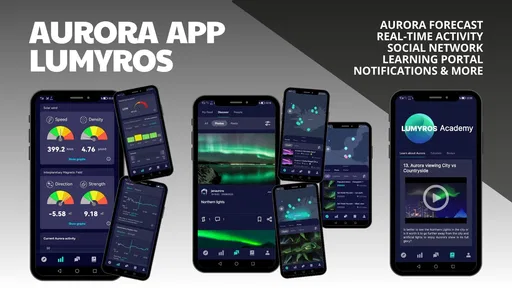
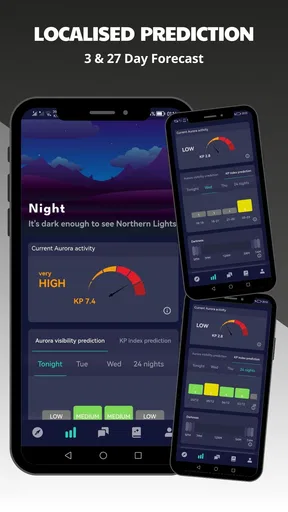
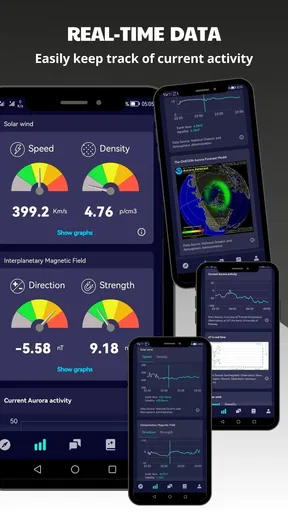
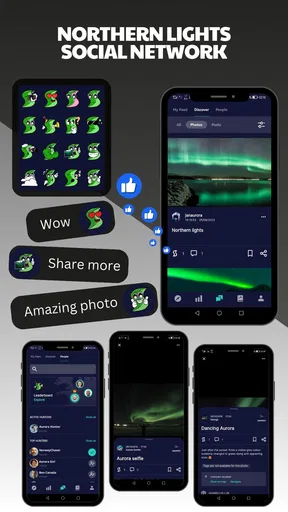
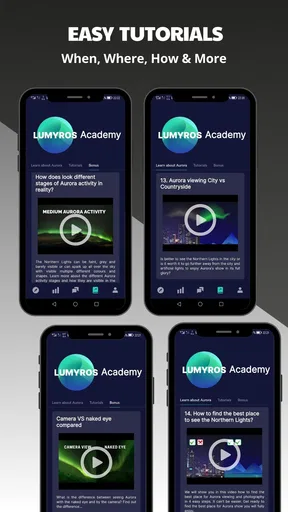
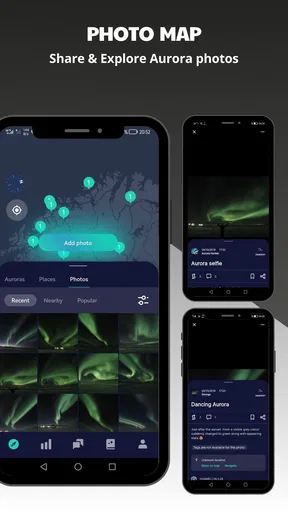
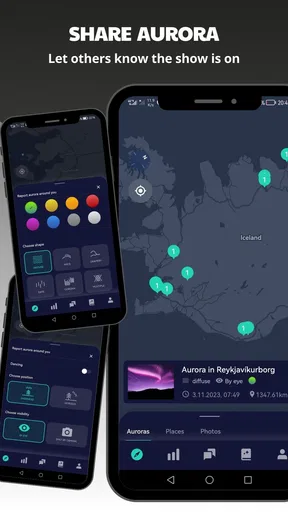
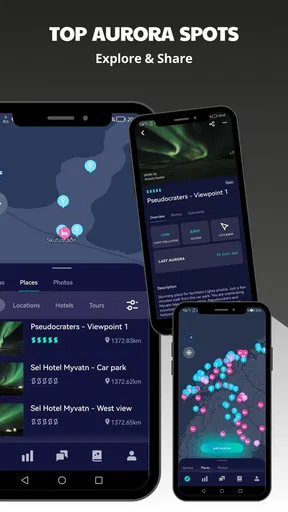
Our Review of Lumyros: Aurora App & Social
 Analysis by Appyee
I approached Lumyros: Aurora App & Social as a weather app with a very specific purpose: helping people follow the possibility of seeing the Northern Lights while giving them a social space built around that interest. That focus immediately makes it different from the weather app most people already have on their phone. It is not trying to replace a full daily forecast, and I would not treat it as a general-purpose weather tool. Its appeal is narrower, but that narrow focus can be useful when a household or group of friends is planning an evening around the sky.
The app is free to install, is suitable for Everyone, and comes from developer Jan Svamberg. It has passed the ten-thousand-install mark, which suggests that it has found a small but real audience among Aurora watchers. At the same time, its average rating is 1.7 from around twenty-six ratings, with four written reviews. I would take that low score seriously rather than dismissing it, especially if I were installing it on a shared family device. The concept is attractive, but the experience needs to be judged by what each person actually expects from it.
How Lumyros fits into a shared Aurora-watching routine
When I use Lumyros as part of a group’s Aurora-watching routine, I find it helps to agree on one person who checks for updates and shares a clear plan, rather than having everyone monitor the app independently. That keeps a possible sighting from turning into a flurry of messages or an assumption that everyone is heading out. The next question is how to set up that shared use without blurring who controls the device or any social activity.
A practical evening with more than one person involved
The most convincing use case is not checking the app alone every few minutes. It is using it as a shared prompt for a small plan. Imagine one person at home noticing that the Aurora may be worth watching, while another family member is deciding whether to take the dog outside, drive away from bright streetlights, or simply step into the garden. A dedicated Aurora app can make that decision feel more deliberate than opening a standard weather app and searching through several unrelated panels.
I would use Lumyros before making promises. The person who is most interested in the Northern Lights can check the outlook, then tell everyone else that conditions may justify going outside later. That small distinction matters. A forecast is a reason to prepare, not a guarantee that the sky will produce a visible display. Treating the app as a planning aid helps prevent disappointment, especially for younger users who may interpret a favorable indication as certainty.
Its social angle also makes more sense in this situation. Aurora watching is often a waiting activity: people compare what they can see, share excitement, and decide whether it is worth staying out a little longer. A community-oriented app can add value when several people are already interested in the same event. It is less compelling if nobody in the household wants to discuss or follow the phenomenon beyond a quick glance.
Where it helps and where a normal weather app is better
My usual weather app remains more useful for ordinary decisions such as commuting, rain, wind, temperature, or deciding what to wear. It is also the better choice when I need a broad view of the entire day. Lumyros has a different job. Its value comes from concentrating attention on Aurora activity and the people who follow it.
That specialization is both its strength and its main limitation. A household should not install it expecting a complete replacement for the weather service already used by everyone. Instead, I see it as a companion app: the general forecast handles safety and comfort, while Lumyros handles the question of whether the night might be interesting for Aurora hunters.
The useful trade-off is focus versus completeness. The fewer unrelated weather tools an app tries to cover, the easier it can be to keep the Northern Lights as the main subject. But that also means I still need another source for practical outdoor details. Before leaving home, I would check both rather than relying on an Aurora-focused view for the whole outing.
What I would do before inviting the family in
On a shared tablet or family phone, I would first open the app alone and learn its layout. This is not because the concept is difficult, but because shared use works better when one person can explain what the screens mean without making everyone wait. I would look at the forecast area, inspect how the social side is presented, and decide whether the app feels comfortable for the people who may use it.
I would also agree on a simple household rule: the app can suggest when to look, but it does not decide that everyone must go outside. That rule is useful for children, tired adults, and anyone who does not enjoy late-night waiting. It keeps the app in its proper role and avoids turning an uncertain natural event into a family obligation.
Keeping expectations realistic
Aurora forecasts are naturally exciting, but excitement can make people overread any signal. My advice is to use a two-step habit. First, check Lumyros to see whether the night deserves attention. Then confirm the practical situation with a regular weather source and your own local surroundings. Clouds, nearby lighting, visibility, and timing can all affect whether an event is enjoyable even when the Aurora outlook looks promising.
This habit is especially important when several people coordinate. If one person announces “the lights are coming,” everyone may rush to prepare. A calmer message such as “the app suggests we should keep an eye on the sky” is more accurate and gives the household room to make its own choice.
Setup boundaries, coordination, and trust
Before inviting others to use Lumyros, I would separate shared access to the forecast from ownership of a personal social identity. That distinction is especially useful on a family phone: people can look together while one person remains responsible for any account activity and purchase decisions. With those boundaries in mind, it is easier to judge whether the app’s focused Aurora role fits the group’s needs.
Start with the smallest useful setup
For a first session, I would avoid treating every available part of the app as equally important. Begin with the Aurora information itself. Once that feels useful, explore the social side. This order prevents the community element from overwhelming the basic reason for installing the app and makes it easier to decide whether Lumyros deserves a permanent place on a shared device.
The current version is 3.3.2 and it runs on devices using Android 6.0 or later. That makes the technical entry point fairly broad for Android households with older phones or tablets. Still, compatibility alone does not tell me whether an older device will feel pleasant to use. On a shared device, I would test the app during the time when the family is most likely to need it and make sure the interface is comfortable to read and navigate.
Because the app is free, the initial trial is straightforward. However, in-app purchases range from $0.99 to $99.99 per item. That is a meaningful point for a family device. I would not let a child or guest assume that “free” means every part of the experience is automatically free. Before handing over the phone, I would check the device’s purchase protections and explain that any paid option requires permission.
Separate the shared device from the shared identity
A shared phone can be convenient, but convenience should not be confused with shared ownership of an account or social identity. If the app offers areas where people interact with other Aurora followers, I would avoid casually mixing several family members into one personal profile. One person’s messages, reactions, or preferences can easily be misunderstood when another person picks up the same device.
My preferred arrangement would be simple: the household can share the device for checking the forecast, while the person who actively participates in the social side keeps clear ownership of their own activity. If the app’s account flow does not make that separation comfortable, I would keep usage limited to the informational side. That is not a criticism of the idea; it is a sensible boundary for any social app used by more than one person.
This is one of the less obvious decisions that can make or break shared use. The question is not only “Can everyone open the app?” It is also “Will everyone know whose view or conversation they are seeing?” Clear boundaries reduce accidental posting, confusion about notifications, and arguments over who changed something.
Use coordination without promising an outcome
The social concept is most useful when it reduces friction between people who already want to watch the sky. One person can notice a promising period, another can prepare warm clothes, and someone else can choose a darker nearby spot. The app becomes part of a chain of small decisions rather than the sole authority on what will happen.
I would keep coordination messages concrete. Instead of sending a vague announcement, I would say when I plan to check again, where I intend to look, and how long I am willing to wait. That makes the app more helpful for a household because everyone understands the plan. It also prevents the common problem of one person waiting outside while another assumes the event has been cancelled.
For a family with different schedules, this approach is kinder than expecting everyone to monitor the app continuously. The keenest Aurora watcher can take responsibility for checking, then pass along a short update. Other people can remain involved without turning the experience into another stream of alerts they must follow all evening.
Know what the app should not replace
I would never use this app as the only basis for deciding whether outdoor conditions are safe or comfortable. Aurora interest does not remove ordinary concerns such as cold, darkness, slippery ground, travel conditions, or a child’s bedtime. A standard weather forecast and common sense still matter more for those decisions.
This is also where a dedicated astronomy service may be preferable for a more technical observer. Someone who wants extensive sky-planning tools, detailed observation information, or a broader astronomy workflow may find an Aurora-focused social app too limited. Lumyros makes more sense for a person who wants a friendly, accessible way to follow the Northern Lights and connect with others, not for someone building a complete observing setup.
Age context matters even with an Everyone rating
The Everyone rating makes the app approachable in a household, but I would not treat that label as a substitute for supervision. A child may be perfectly capable of checking a forecast while still needing help understanding uncertainty, staying warm, and deciding when to stop watching. The rating describes general suitability; it does not create a family agreement about device use or social interaction.
If a young person uses the app, I would keep the first sessions on a shared screen and discuss what information should remain private. I would also show them the difference between reading an update and responding publicly. Those are basic habits, but they are particularly important when an app combines weather interest with a community element.
For teenagers, the conversation can be more collaborative. I would let them help decide when to check the sky, while still making it clear that a forecast is not a promise and that social activity should remain respectful. For adults, the concern is less about supervision and more about keeping personal accounts and household use separate.
How the low rating affects my recommendation
The average rating of 1.7 is the biggest warning sign I would mention to a friend. It does not tell me that every person will have a poor experience, but it does mean I would begin with modest expectations. The app may suit someone who values its specific Aurora community idea, while frustrating someone who expects the polish and breadth of a major weather platform.
I would therefore install it as a trial, not as an essential household service. Use it for a few planned checks, see whether the forecast view is understandable, and decide whether the social element genuinely helps. If the family only wants reliable everyday weather, there is no reason to force Lumyros into that role. If one or two people are genuinely interested in the Northern Lights, the experiment is more justified.
Three habits that make the experience more useful
Check the app before organizing the evening, then check practical weather conditions separately before going outside. This keeps Aurora enthusiasm from replacing ordinary preparation.
Choose one household coordinator for each possible viewing night. That person can share a clear update instead of everyone repeatedly opening the app and creating confusion.
Keep social participation personal. Share the device if necessary, but do not assume that every family member should use one identity or see all of another person’s activity.
These habits are not flashy features, but they address the real friction of using a specialized social weather app in a home: uncertainty, different schedules, different ages, and the risk of confusing access with permission.
Who should install it and who should skip it
I would recommend Lumyros to an Aurora enthusiast who wants a focused place to follow Northern Lights activity and exchange interest with other hunters. It may also suit a couple, group of friends, or family where one person already enjoys checking the sky and wants an easier way to involve others. The free entry makes trying that routine relatively low risk, provided purchase controls are handled first.
I would skip it if my main need were rain forecasts, commuting information, severe-weather awareness, or a complete daily weather dashboard. I would also hesitate if nobody in the household wants the social side. In that case, a conventional weather app is simpler, and a dedicated astronomy tool may be a better fit for serious observation.
My final view is cautious but fair. Lumyros has a clear identity: it is an Aurora-centered weather and social app rather than a universal forecast tool. That focus can make a shared viewing plan more enjoyable, especially when expectations are managed and account boundaries are respected. But the low average rating means I would not recommend installing it blindly on every family device. I would test it with one interested person, keep purchases protected, and judge it by whether it actually improves the household’s next sky-watching decision.
For me, the strongest reason to keep it would be coordination: turning “maybe we should look outside tonight” into a small, shared plan. The weakest reason would be expecting it to handle everything a normal weather app does. Choose Lumyros for the Aurora community and focused checking, not as your only source of weather information. With that boundary in place, it can be a worthwhile specialist app for the right household, while everyone else may be better served by the weather tools they already trust.
Verdict
Strengths of Lumyros: Aurora App & Social
- Beautiful aurora-inspired interface with a distinctive visual style.
- Encourages creative self-expression through social content and profiles.
- Easy to browse and discover posts from other users.
- Offers a calming, atmospheric experience for casual daily use.
- Useful for connecting with people who share similar interests.
Limitations of Lumyros: Aurora App & Social
- Some features may require an account or personal profile information.
- The social feed can feel limited if the user community is small.
- Content quality may vary depending on what other users publish.
- Notifications could become distracting without careful customization.
- Privacy settings should be reviewed before sharing personal content.
Similar Picks in This Category
View All
Weather - By Xiaomi
Xiaomi Inc.4.1

Weather & Radar Forecast
WetterOnline4.8

Weather
OneLouder Apps4.6

AccuWeather: Weather Radar
AccuWeather3.6

The Weather Channel - Radar
The Weather Channel4.6

1Weather Forecasts & Radar
OneLouder Apps4.3
Frequently Asked Questions
What is Lumyros: Aurora App & Social, and what can I do with it?
Lumyros: Aurora App & Social is designed around discovering, viewing, and sharing aurora-related content in a social environment. Depending on the available features and your location, you may be able to explore aurora images or forecasts, follow other users, publish posts, and interact with the community. It is best suited to people interested in the northern lights, atmospheric photography, and sharing outdoor experiences.
Does Lumyros provide reliable aurora forecasts and real-time alerts?
The app may offer aurora information, activity indicators, forecasts, or notifications intended to help users decide when to look for the northern lights. However, aurora visibility depends on cloud cover, light pollution, local weather, location, and rapidly changing solar conditions. Treat the app as a planning aid rather than a guarantee, and always verify conditions through additional weather and space-weather sources.
Do I need an account to use Lumyros: Aurora App & Social?
Some parts of Lumyros may be available without registration, such as browsing public content or viewing general information, while social features commonly require an account. Creating a profile may be necessary to post, comment, follow users, save content, or receive personalized notifications. Before signing up, review the permissions and privacy information so you understand what profile details and activity may be visible.
Is Lumyros: Aurora App & Social free to download and use?
Lumyros may be free to download, but availability of premium tools, optional subscriptions, advertising, or in-app purchases can vary by platform and region. Check the Google Play Store or Apple App Store listing for the current pricing, trial terms, and renewal conditions before confirming a purchase. If you start a subscription, manage cancellation through your device’s store settings.
What privacy and safety considerations should I know before using Lumyros?
Because Lumyros includes social functionality, users should be careful about sharing precise locations, travel plans, personal contact details, or identifiable photographs. Review the app’s privacy policy and permission requests, particularly for location, camera, photos, notifications, and account information. Use privacy controls where available, report inappropriate content, and remember that public posts may be copied or viewed beyond your intended audience.
